
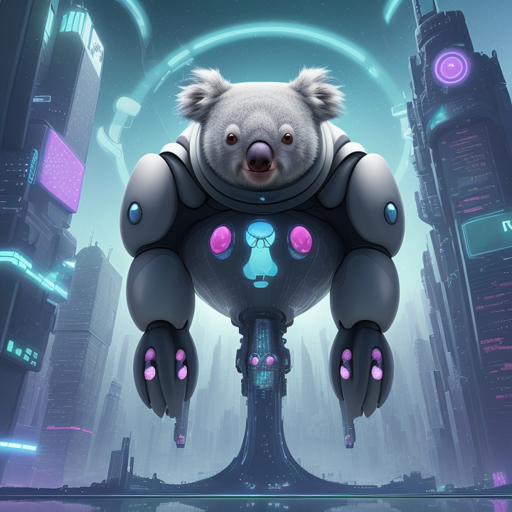
Enter the world of AI art generation with KOALA – a fast and efficient text-to-image model that brings your imaginative visions to life! In this article, we will guide you step-by-step on how to utilize this innovative model for your projects, troubleshoot common issues, and explore its features.
What is KOALA?
KOALA (Knowledge Optimized in a Latent Architecture) is a text-to-image model that offers a remarkable synthesis ability by employing a compressed version of the U-Net architecture, enhancing both speed and quality. Think of KOALA as a high-speed artist that quickly creates stunning artworks based on your prompts.
Getting Started with KOALA
Follow these simple steps to get the KOALA model up and running:
- Install the Required Libraries: Ensure you have the Diffusers library installed. Use pip for installation:
pip install diffusers
import torch
from diffusers import StableDiffusionXLPipeline
pipe = StableDiffusionXLPipeline.from_pretrained('etri-vilab/koala-700m-llava-cap', torch_dtype=torch.float16)
pipe = pipe.to('cuda')
prompt = "A portrait painting of a Golden Retriever like Leonardo da Vinci"
negative_prompt = "worst quality, low quality, illustration, low resolution"
image = pipe(prompt=prompt, negative_prompt=negative_prompt).images[0]
Understanding the Code: An Analogy
Imagine you’re hosting a fancy dinner party. You want to serve a gourmet meal (the generated image) but you need the right kitchen appliances (model and parameters) to create a sumptuous feast. Each step in the process—from gathering ingredients (loading the model) to preparing each dish (generating images)—is crucial. The recipe (your code) ensures everything is executed seamlessly, leading to that exquisite meal served at your table (the final image). KOALA serves as the chef, expertly blending all ingredients to create delightful visual treats based on your prompt!
Troubleshooting Common Issues
While working with KOALA, you might encounter a few bumps along the way. Here are some troubleshooting ideas:
- Out-of-Memory (OOM) Errors: If you receive memory-related issues, ensure that your GPU supports the demands of KOALA or reduce the image resolution.
- Long Inference Time: If the generation process is taking longer than expected, check your hardware specs—KOALA runs faster on higher-end GPUs.
- Image Quality Issues: If the generated images do not meet your quality expectations, try simplifying your prompts or adjusting the negative prompts.
For more insights, updates, or to collaborate on AI development projects, stay connected with fxis.ai.
Key Features of KOALA
- Efficient U-Net Architecture: KOALA reduces model size by up to 69% compared to SDXL while maintaining performance.
- Self-Attention-Based Knowledge Distillation: The effective use of self-attention features ensures high-quality image generation.
Wrap Up
KOALA is an agile and powerful tool that opens new frontiers for creativity in AI-powered art generation. Whether you are in research, education, or artistic endeavors, KOALA provides an accessible way to explore the realms of text-to-image synthesis.
At fxis.ai, we believe that such advancements are crucial for the future of AI, as they enable more comprehensive and effective solutions. Our team is continually exploring new methodologies to push the envelope in artificial intelligence, ensuring that our clients benefit from the latest technological innovations.