
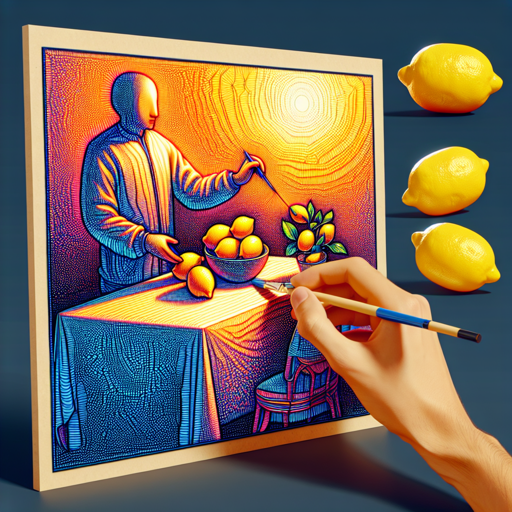
In the realm of generative AI, the LDM3D model represents a significant breakthrough, allowing users to create both realistic RGB images and depth maps from text prompts. This guide will take you through the process of using the LDM3D model, with easy-to-follow instructions and troubleshooting tips.
Understanding the LDM3D Model
The LDM3D, or Latent Diffusion Model for 3D, is like having a talented artist who can listen to your description and then paint both a beautiful image and a blueprint of how that image looks in three dimensions. Instead of simply creating a flat picture, it provides a depth map, giving a fuller understanding of the scene from different angles. Imagine instructing the artist, “Draw some lemons on a table,” and receiving not only a vivid depiction of the lemons but also an outline showing how far they project into space, enhancing your visual experience.
Getting Started with LDM3D
To start using the LDM3D model, you need to follow these steps:
- Install Required Libraries: Ensure you have the required libraries installed, particularly
diffusersfor the model. - Load the Model: Use the following code snippet to load the model:
- Select Your Platform: Depending on whether you want to run it on a CPU or GPU, use:
- Create an Input Prompt: Define your desired scenario. For instance:
- Generate the Images: Run the pipeline to get your results:
- Save the Images: Store your output images locally:
from diffusers import StableDiffusionLDM3DPipeline
pipe = StableDiffusionLDM3DPipeline.from_pretrained("Intelldm3d-4c")# On CPU
pipe.to(cpu)
# On GPU
pipe.to(cuda)prompt = "A picture of some lemons on a table"output = pipe(prompt)
rgb_image, depth_image = output.rgb, output.depthrgb_image[0].save("lemons_ldm3d_4c_rgb.jpg")
depth_image[0].save("lemons_ldm3d_4c_depth.png")Evaluation Metrics
The effectiveness of the LDM3D model in generating images is indicated by several metrics:
- FID (Frechet Inception Distance): Lower values indicate better quality images.
- IS (Inception Score): Higher scores signify more diverse image generations.
- CLIP Score: Measures how well the generated images align with the input text.
Troubleshooting Common Issues
If you encounter issues while using the LDM3D model, consider the following troubleshooting steps:
- Runtime Errors: Ensure that your Python environment has the required libraries properly installed.
- Performance Backlogs: Always check if your hardware (CPU/GPU) meets the necessary specifications for running deep learning models efficiently.
- Generating Poor Quality Images: Experiment with different prompts or phrasing to guide the model better.
For more insights, updates, or to collaborate on AI development projects, stay connected with fxis.ai.
Conclusion
The LDM3D model opens up new avenues in AI-generated content, blending visuals with depth perception for a more immersive experience. Using this technology can transform industries like gaming, architecture, and entertainment.
At fxis.ai, we believe that such advancements are crucial for the future of AI, as they enable more comprehensive and effective solutions. Our team is continually exploring new methodologies to push the envelope in artificial intelligence, ensuring that our clients benefit from the latest technological innovations.