
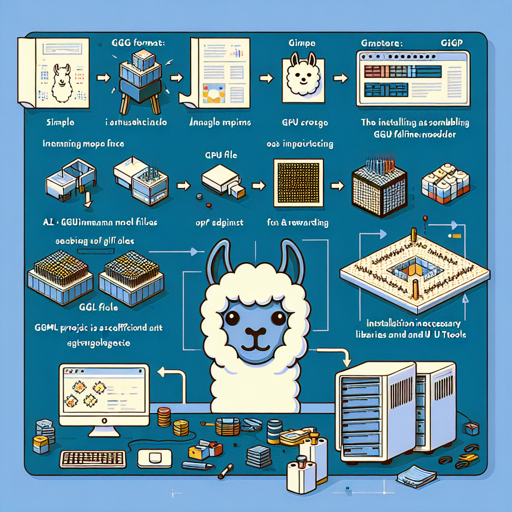
In the world of artificial intelligence, utilizing advanced models is essential. Among the diverse models available, the Metas LLaMA 7b stands out. This guide will walk you through the steps on how to use the GGML format model files for both CPU and GPU inference. Just like assembling a LEGO set, we’ll build your AI project piece by piece—simple, fun, and rewarding!
Understanding GGML Files
GGML files are designed for efficient interactions with various libraries and UIs that support this format. Picture GGML files as a set of blueprints allowing us to construct a complex machine (in this case, your AI model) in multiple ways depending on the tools (libraries/UI) available to us.
Requirements
- A computer with sufficient RAM (refer to the provided files section for specific requirements)
- Installation of necessary libraries and UI tools (like llama.cpp, KoboldCpp, etc.)
- Appropriate downloading of required GGML files
How to Run in llama.cpp
To run the LLaMA model using llama.cpp, you would typically use a command structure like this:
./main -t 10 -ngl 32 -m llama-7b.ggmlv3.q4_0.bin --color -c 2048 --temp 0.7 --repeat_penalty 1.1 -n -1 -p ### Instruction: Write a story about llamasIn this command:
- -t 10: This indicates the number of CPU threads to use. Adjust according to your system’s cores.
- -ngl 32: This specifies the number of layers to offload to the GPU. If you don’t have GPU acceleration, you can simply remove it.
- -p: The prompt for generating a response can be adjusted as per your requirements.
How to Run in text-generation-webui
For instructions in using the text-generation-webui, please refer to the detailed documentation available here: text-generation-webui documentation.
Understanding Quantization Methods
Just as cooking efficiency can be improved with the right techniques, the LLaMA model uses quantization to optimize its performance and resource efficiency. Think of quantization methods like different cuts of meat; some are leaner and cook faster but offer less flavor (information), whereas others are richer and take longer to prepare.
- New k-quant methods: q2_K, q3_K, q4_K, etc. are like different cooking styles, focusing on efficiency and reducing resource consumption while maintaining desired outcomes.
- Original methods: Previous quantization techniques like q4_0 and q5_0 are still available for those who prefer a more traditional flavor profile.
Troubleshooting
When working with complex models like LLaMA, you may run into various issues. Here are a few troubleshooting ideas:
- Ensure your system meets the RAM requirements listed in the provided files section.
- If encountering performance issues, adjust the parameters in your command line as mentioned.
- Check for updates in your libraries, as using outdated versions can lead to compatibility issues.
For more insights, updates, or to collaborate on AI development projects, stay connected with fxis.ai.
Conclusion
Utilizing the Metas LLaMA 7b model with GGML files can greatly enhance your AI projects. With the right setup and understanding, you can leverage its power to create incredible AI outputs that respond intelligently to your prompts. Happy coding!
At fxis.ai, we believe that such advancements are crucial for the future of AI, as they enable more comprehensive and effective solutions. Our team is continually exploring new methodologies to push the envelope in artificial intelligence, ensuring that our clients benefit from the latest technological innovations.