
In this article, we will guide you step-by-step on how to leverage the MONAI Bundle for automated detection of metastases in whole-slide histopathology images using a pre-trained model based on ResNet18.
Model Overview
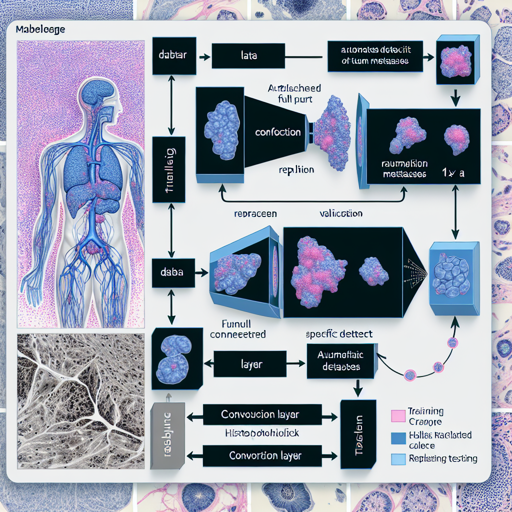
The MONAI Bundle includes a potent model trained to detect tumor metastases in histopathology images. The backbone of this model is built on ResNet18. However, the last fully connected layer is cleverly replaced by a 1×1 convolution layer, adjusting it for our specific detection task.

The data used for training, validation, and testing is derived from the Camelyon-16 Challenge.
Data Preparation
- Target: Tumor
- Task: Detection
- Modality: Histopathology
- Size: 270 WSIs for training/validation, 48 WSIs for testing
To get started, download the necessary images from the Camelyon-17 Data page.
Preprocessing
The MONAI Bundle anticipates that your training and validation data (whole slide images) will be stored in a directory called dataset_dir/training/images. By default, it points to workspace/data/medical/pathology, but feel free to modify this configuration as required.
When running inference, only tissue patches are processed to reduce computational load, based on a provided tissue mask. Remember to also create a directory for output predictions, which defaults to the eval folder under the bundle root.
Training Configuration
The training setup requires the following configuration:
- GPU: at least 16 GB of GPU memory
- Model Input Size: 224 x 224 x 3
- Optimizer: Novograd
- Learning Rate: 1e-3
- Loss Function: BCEWithLogitsLoss
If you want to utilize ImageNet pre-trained weights, adjust the configuration file accordingly.
Training and Inference Execution
Here’s where it gets interesting! Imagine you’re orchestrating a grand concert (the training process) and your musicians (the model parameters) need to be perfectly in tune. By specifying the correct configuration files, running the training becomes a delightful rhythm, and the results will resonate beautifully like a well-composed symphony.
- Use the command below to initiate training:
python -m monai.bundle run --config_file configs/train.jsonCUDA_LAUNCH_BLOCKING=1 python -m monai.bundle run --config_file configs/inference.jsonPerformance Evaluation
To evaluate the performance of the model, you can utilize the FROC score. Run the following command after your inference completion:
cd scripts; source evaluate_froc.shTroubleshooting
If you encounter issues during the execution, here are some suggestions:
- Ensure that the dataset path is correctly set in the configuration files. You can override the path at runtime as shown above.
- Check that you have installed the required dependencies and packages, especially if using Windows or Mac, as cuCIM can have specific requirements.
- If determinism is not crucial for your training, try modifying the determinism setting for better performance.
For additional insights, updates, or to collaborate on AI development projects, stay connected with fxis.ai.
Final Thoughts
At fxis.ai, we believe that such advancements are crucial for the future of AI, as they enable more comprehensive and effective solutions. Our team is continually exploring new methodologies to push the envelope in artificial intelligence, ensuring that our clients benefit from the latest technological innovations.
References
- [1] He, Kaiming, et al, Deep Residual Learning for Image Recognition. In Proceedings of the IEEE conference on computer vision and pattern recognition, pp. 770-778. 2016. Read more.
With this guide, you should be well on your way to utilizing the MONAI Bundle for effective histopathology analysis. Happy coding!