
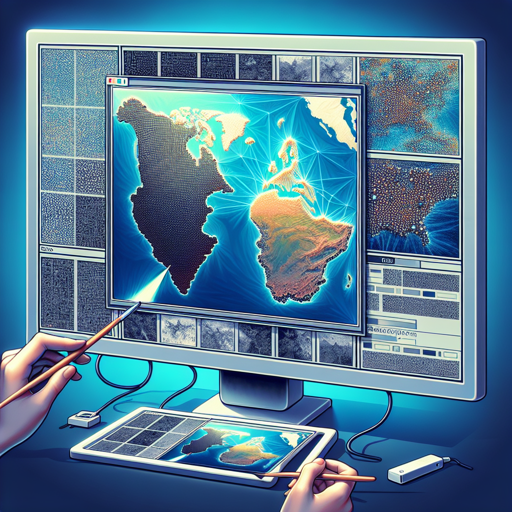
Welcome, fellow AI enthusiasts! Today, we’re diving into an exciting topic in the realm of image generation – the Pix2Pix model trained specifically on the HugGAN maps dataset. This model aims to transform satellite maps into polished geographic maps, akin to those you’d see on Google Maps, and can do the reverse as well. Ready to learn? Let’s get started!
Understanding the Model
The Pix2Pix model is essentially a machine learning algorithm that leverages the power of conditional adversarial networks. If you’re new to this concept, think of it like a game of ‘artist and critic’. The artist (generator) creates a painting from a rough sketch (input image), while the critic (discriminator) evaluates how realistic it is. The two compete until the artist creates a convincing masterpiece!
How to Use the Pix2Pix Model
Now, let’s get into the step-by-step instructions for utilizing this model.
Requirements
- Python installed on your system
- Pillow library for image processing
- torchvision for saving generated images
Step-by-Step Instructions
- Start by loading the Pix2Pix model:
- Open the image you wish to transform:
- Now, initialize the generator:
- Transform the image into pixel values:
- Generate the output:
- Finally, save the output image:
from huggan.pytorch.pix2pix.modeling_pix2pix import GeneratorUNetfrom PIL import Image
image = Image.open('path_to_your_image.jpg')generator = GeneratorUNet.from_pretrained('huggan/pix2pix-maps')pixel_values = transform(image).unsqueeze(0)output = generator(pixel_values)save_image(output, 'output.png', normalize=True)Limitations and Bias
While the Pix2Pix model is quite robust, it can still exhibit latent issues such as biases stemming from its training data. These can manifest in various forms – from inaccuracies in generated images to misrepresentations that might arise in less diverse datasets. Make sure to be vigilant and conduct evaluations to identify and address potential biases!
Troubleshooting Guide
If you encounter issues while using the Pix2Pix model, consider the following troubleshooting tips:
- Ensure that your paths to images are correct.
- Check if your Python libraries are installed properly and up to date.
- If the generated output doesn’t appear as expected, try altering the input image or retraining the model with more diverse datasets.
For more insights, updates, or to collaborate on AI development projects, stay connected with fxis.ai.
Conclusion
At fxis.ai, we believe that such advancements are crucial for the future of AI, as they enable more comprehensive and effective solutions. Our team is continually exploring new methodologies to push the envelope in artificial intelligence, ensuring that our clients benefit from the latest technological innovations.
Now that you have the tools and understanding necessary to utilize the Pix2Pix model on the HugGAN maps dataset, it’s time to unleash your creativity and explore the possibilities of image generation. Happy coding!