
Welcome to our guide on leveraging the powerful Pix2Struct model that has been fine-tuned for visual question answering, particularly over high-resolution infographics! This article will walk you through the essentials of using this innovative model, converting checkpoints, running the model, and troubleshooting common issues.
Table of Contents
TL;DR
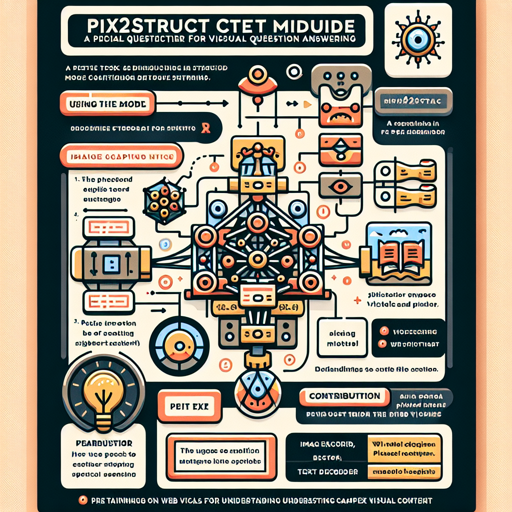
The Pix2Struct model is an image encoder-text decoder hybrid designed for various tasks, including image captioning and visual question answering. It decodes image-text pairs to clarify textual queries related to visual content. This model is pretrained on diverse web-based visuals, allowing it to understand complex visual language.
Using the Model
Converting from T5x to Hugging Face
To use Pix2Struct, begin by converting the model from T5x format to Hugging Face. Here’s how to do it:
bash
python convert_pix2struct_checkpoint_to_pytorch.py --t5x_checkpoint_path PATH_TO_T5X_CHECKPOINTS --pytorch_dump_path PATH_TO_SAVE
If you are converting a large model, implement the following command:
bash
python convert_pix2struct_checkpoint_to_pytorch.py --t5x_checkpoint_path PATH_TO_T5X_CHECKPOINTS --pytorch_dump_path PATH_TO_SAVE --use-large
Saving and Pushing the Model
Once converted, you can save and push your model using this snippet:
python
from transformers import Pix2StructForConditionalGeneration, Pix2StructProcessor

model = Pix2StructForConditionalGeneration.from_pretrained(PATH_TO_SAVE)
processor = Pix2StructProcessor.from_pretrained(PATH_TO_SAVE)

model.push_to_hub(USERNAME_MODEL_NAME)
processor.push_to_hub(USERNAME_MODEL_NAME)
Running the Model
The instructions for running this model mirror those outlined for the pix2struct-ai2d-base model. Follow the familiar steps to implement it for your specific applications.
Contribution
This remarkable model was originally contributed by Kenton Lee, Mandar Joshi, and others, and it was added to the Hugging Face ecosystem by Younes Belkada.
Citation
When citing this work, please refer to the original paper:
@misc{https://doi.org/10.48550/arxiv.2210.03347,
    doi = {10.48550/ARXIV.2210.03347},
    url = {https://arxiv.org/abs/2210.03347},
    author = {Lee, Kenton and Joshi, Mandar and Turc, Iulia and Hu, Hexiang and Liu, Fangyu and Eisenschlos, Julian and Khandelwal, Urvashi and Shaw, Peter and Chang, Ming-Wei and Toutanova, Kristina},
    keywords = {Computation and Language (cs.CL), Computer Vision and Pattern Recognition (cs.CV), FOS: Computer and information sciences, FOS: Computer and information sciences},
    title = {Pix2Struct: Screenshot Parsing as Pretraining for Visual Language Understanding},
    publisher = {arXiv},
    year = {2022},
    copyright = {Creative Commons Attribution 4.0 International}
}
Troubleshooting
While using the Pix2Struct model may seem straightforward, you might encounter some challenges along the way. Here are a few troubleshooting tips:
- If the model fails to convert, double-check the paths provided in your conversion script for any typos.
- Ensure all necessary dependencies are installed and that your Python environment is set up correctly.
- If you face issues during model usage, verify that you are using the compatible version of Transformers.
For more insights, updates, or to collaborate on AI development projects, stay connected with fxis.ai.
At fxis.ai, we believe that such advancements are crucial for the future of AI, as they enable more comprehensive and effective solutions. Our team is continually exploring new methodologies to push the envelope in artificial intelligence, ensuring that our clients benefit from the latest technological innovations.