
Are you interested in harnessing the power of advanced text-to-speech (TTS) capabilities? The VITS model, which stands for Variational Inference with Adversarial Learning for End-to-End Text-to-Speech, offers you an efficient way to convert text into spoken words in a variety of accents and rhythms. In this blog, we’ll walk you through the steps to implement VITS, troubleshoot potential issues, and understand its inner workings.
Understanding VITS: The Analogy
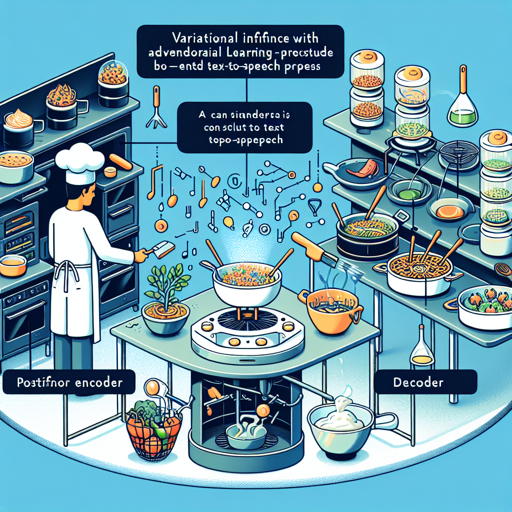
Imagine VITS as a talented chef in a bustling kitchen. The text input is your recipe, guiding the chef on what dish to create. The chef (VITS) has three main kitchen stations to work efficiently:
- Posterior Encoder: This is where the chef prepares the ingredients by transforming the recipe into actionable steps.
- Decoder: This station is where the ingredients are combined and cooked, producing the final dish (the audio waveform).
- Conditional Prior: Think of this as the chef predicting how the meal should taste based on previous experiences with similar dishes, accounting for various spices and techniques (the stochastic duration predictor).
All these stations work collaboratively to ensure that even the same recipe can yield uniquely delicious outcomes, just like the model generates diverse rhythmic speech patterns from the same text input.
Getting Started with VITS
To utilize the VITS model, follow these simple steps:
1. Install Required Libraries
Before you can use VITS, ensure that you have the required libraries installed. You can do this by running the following command in your terminal:
pip install --upgrade transformers accelerate2. Inference Code Snippet
Next, you can use the following Python code snippet to run inference.
from transformers import VitsModel, AutoTokenizer
import torch

model = VitsModel.from_pretrained("kakao-enterprise/vits-ljs")
tokenizer = AutoTokenizer.from_pretrained("kakao-enterprise/vits-ljs")

text = "Hey, it's Hugging Face on the phone"
inputs = tokenizer(text, return_tensors="pt")

with torch.no_grad():
    output = model(**inputs).waveform
3. Save or Display the Resulting Waveform
You can save the resulting waveform as a `.wav` file or display it in a Jupyter Notebook or Google Colab.
import scipy
scipy.io.wavfile.write("techno.wav", rate=model.config.sampling_rate, data=output)
from IPython.display import Audio
Audio(output, rate=model.config.sampling_rate)Troubleshooting Common Issues
While working with VITS, you might encounter some issues. Here are some common troubleshooting steps:
- Model Not Found: Ensure that you have the correct model name, such as “kakao-enterprise/vits-ljs“.
- Installation Errors: Check your Python environment and ensure the latest versions of Transformers and Accelerate libraries are installed.
- Output Quality Issues: Experiment with different text inputs or adjust the randomness by setting a fixed seed to replicate the output.
For any further assistance, don’t hesitate to reach out. For more insights, updates, or to collaborate on AI development projects, stay connected with fxis.ai.
Conclusion
At fxis.ai, we believe that such advancements are crucial for the future of AI, as they enable more comprehensive and effective solutions. Our team is continually exploring new methodologies to push the envelope in artificial intelligence, ensuring that our clients benefit from the latest technological innovations.
Now that you have the essential steps and insights into the VITS model, you can start creating remarkable text-to-speech applications with ease!