
If you’re venturing into the realm of multilingual text classification, you’re in for a treat! The XLM-RoBERTa-large model offers an excellent approach to classifying text in multiple languages without needing extensive training data for each language. In this guide, we’ll take you through the steps to utilize this powerful model, troubleshoot common issues, and provide insights into its fantastic capabilities.
What is Zero-Shot Text Classification?
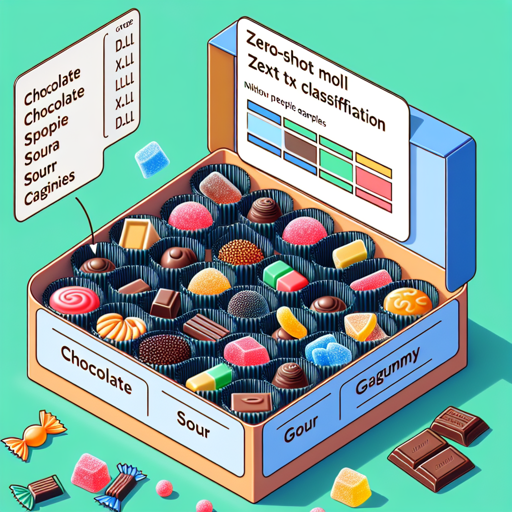
Zero-shot text classification allows you to categorize text into predefined classes without having seen specific examples of those categories in your training data. Imagine you have a box of assorted candies (texts) and you want to sort them into categories (labels) like “chocolate”, “sour”, and “gummy”. The beauty of zero-shot classification is that you can do this without having prior examples of each candy type. You simply guess based on the characteristics and descriptions you already know!
Setting Up Your Environment
Before we dive into the code, ensure you have Python and the Transformers library installed. You can install it using pip:
pip install transformersLoading the Model
Now, let’s load the model using the zero-shot classification pipeline. Here’s a snippet of code to do just that:
from transformers import pipeline
classifier = pipeline("zero-shot-classification", model="joeddav/xlm-roberta-large-xnli")
Running Classification
Once the model is loaded, you can classify text in multiple languages. Here’s an example of how to classify a Russian sentence asking about voting:
# Russian text to classify
sequence_to_classify = "За кого вы голосуете в 2020 году?"
# Specifying candidate labels in Russian
candidate_labels = ["публичное здоровье", "Европа", "политика"]
result = classifier(sequence_to_classify, candidate_labels)
This code snippet will return a list of potential labels along with their associated scores, indicating the model’s confidence in each classification.
Customizing Hypotheses
If you are working strictly within a single language, you might want to customize the hypothesis template. For instance, in Spanish:
# Spanish text to classify
sequence_to_classify = "¿A quién vas a votar en 2020?"
candidate_labels = ["Europa", "salud pública", "política"]
hypothesis_template = "Este ejemplo es {}."
result = classifier(sequence_to_classify, candidate_labels, hypothesis_template=hypothesis_template)
This allows the model to understand better the context in which it is interpreting the text.
Using Manual PyTorch Implementation
If you prefer a more hands-on approach, you can implement this using PyTorch directly, preparing your inputs as premises and hypotheses:
from transformers import AutoModelForSequenceClassification, AutoTokenizer

nli_model = AutoModelForSequenceClassification.from_pretrained("joeddav/xlm-roberta-large-xnli")
tokenizer = AutoTokenizer.from_pretrained("joeddav/xlm-roberta-large-xnli")

premise = sequence_to_classify
hypothesis = "This example is label."
inputs = tokenizer.encode(premise, hypothesis, return_tensors='pt', truncation_strategy='only_first')
logits = nli_model(inputs)
# Process logits for true probability
With this approach, you would gain deeper insights into how the model processes your text, allowing for further customizations.
Troubleshooting
While working with the model, you may encounter issues such as compatibility with different languages or unexpected scores. Here are some troubleshooting tips:
- Ensure you are running the correct environment: Check that all dependencies of the Transformers library are met.
- Check the language compatibility: Ensure the text you are classifying is among the supported languages. If not, try passing it through a translation service first.
- Score Confusion: If the scores are not making sense, review your candidate labels and the context you are providing to ensure they are correctly tailored to the input text.
- For more insights, updates, or to collaborate on AI development projects, stay connected with fxis.ai.
Conclusion
Utilizing the XLM-RoBERTa model for zero-shot text classification is not just powerful; it’s also remarkably user-friendly. Remember, like a well-prepared chef, having the right ingredients and instructions helps you create amazing dishes – or in this case, intelligent classifications! At fxis.ai, we believe that such advancements are crucial for the future of AI, as they enable more comprehensive and effective solutions. Our team is continually exploring new methodologies to push the envelope in artificial intelligence, ensuring that our clients benefit from the latest technological innovations.