
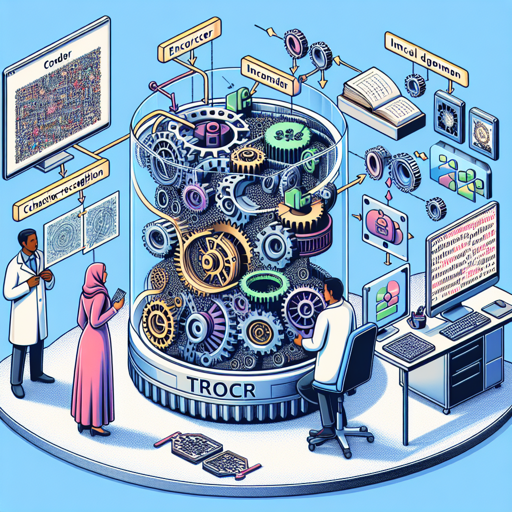
Optical Character Recognition (OCR) is a hot topic in the world of AI, and the TrOCR model has emerged as a powerful tool for processing text from images. In this article, we will walk through how to effectively use the TrOCR model fine-tuned on the SROIE dataset, providing you with a user-friendly guide to implementing this influential model for your own projects.
What is TrOCR?
The TrOCR model is an elaborate system that combines the strengths of image and text processing to recognize printed text from images. It’s like having a translator that speaks both visual and textual languages; it decodes the image of text and presents it in a written format.
This model consists of an encoder (which processes the image) and a decoder (which generates the text). The image encoder uses knowledge from a model called BEiT, while the text decoder is based on RoBERTa, both of which help TrOCR deliver accurate results.
How TrOCR Works: An Analogy
Imagine trying to read a book with very small text. Instead of straining your eyes, you decide to use a magnifying glass to enlarge the text and enhance clarity; this is akin to how TrOCR processes images. It takes the image, breaks it down into smaller, manageable patches (like magnifying small sections of the text), and embeds them into a format that the model can work with.
Next, just like a translator takes the enlarged text and converts it into another language, TrOCR’s text decoder generates readable text from the processed image data. The model effectively ‘translates’ the visual input into textual output.
Step-by-Step Guide to Implementing TrOCR
Here’s how you can use the TrOCR model in your Python environment with PyTorch:
from transformers import TrOCRProcessor, VisionEncoderDecoderModel
from PIL import Image
import requests

# load image from a source
url = 'https://fki.tic.heia-fr.ch/static/img/a01-122-02-00.jpg'
image = Image.open(requests.get(url, stream=True).raw).convert("RGB")

# load the processor and model
processor = TrOCRProcessor.from_pretrained('microsoft/trocr-base-printed')
model = VisionEncoderDecoderModel.from_pretrained('microsoft/trocr-base-printed')

# process the image and generate text
pixel_values = processor(images=image, return_tensors="pt").pixel_values
generated_ids = model.generate(pixel_values)
generated_text = processor.batch_decode(generated_ids, skip_special_tokens=True)[0]
Let’s break down this code:
- Importing Libraries: First, we import necessary libraries including the TrOCR processor and the VisionEncoderDecoderModel from the transformers library, as well as PIL for handling images and requests for fetching images from the web.
- Loading the Image: Just like selecting a book to read, you load your image from a URL that contains printed text.
- Processing: You initialize the processor and model, enabling the reading process to begin.
- Generating Text: Finally, the image is processed, and the model generates the text representation, skipping special tokens for cleaner output.
Troubleshooting Tips
If you encounter any issues while using the TrOCR model, here are some troubleshooting ideas:
- Model Not Loading: Ensure you have a stable internet connection while loading model weights from Hugging Face.
- Image Format Issues: Make sure the image url points to a valid image format supported by PIL (like JPG or PNG).
- Token Generation Problems: If the generated text is not as expected, try using a different test image; the quality and type of text can greatly affect results.
For more insights, updates, or to collaborate on AI development projects, stay connected with fxis.ai.
Conclusion
With TrOCR, extracting text from images has never been easier. By following this guide, you’re now empowered to integrate OCR capabilities into your projects, enhancing your applications and workflows significantly.
At fxis.ai, we believe that such advancements are crucial for the future of AI, as they enable more comprehensive and effective solutions. Our team is continually exploring new methodologies to push the envelope in artificial intelligence, ensuring that our clients benefit from the latest technological innovations.