
Optical Character Recognition (OCR) has drastically changed the way we interact with handwritten text. With advancements such as the TrOCR (Transformer-based Optical Character Recognition) model, this technology has become more efficient and user-friendly. In this guide, we will explore how to utilize TrOCR for transforming images of handwritten text into machine-readable formats.
What is TrOCR?
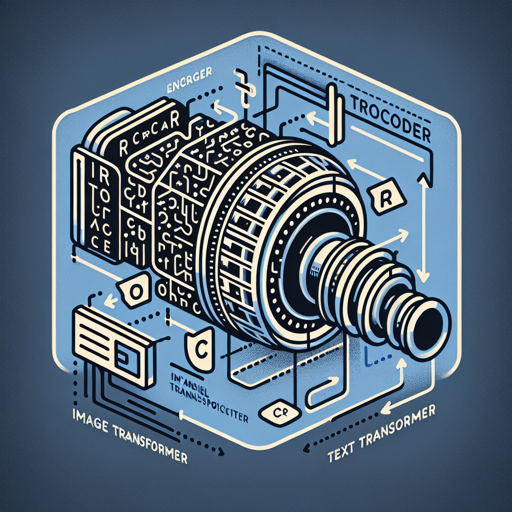
The TrOCR model, fine-tuned on the IAM dataset, leverages the power of transformer architectures to offer an innovative solution to OCR. It consists of two main components:
- Image Transformer (Encoder): This component processes the image input.
- Text Transformer (Decoder): This generates the recognized text from the encoded image.
Think of the image encoder as an artist tasked with interpreting a drawing and transferring it onto canvas, while the text decoder is the scribe that carefully documents what the artist visualizes.
How to Utilize TrOCR
Here’s a step-by-step approach to using the TrOCR model in a PyTorch environment:
python
from transformers import TrOCRProcessor, VisionEncoderDecoderModel
from PIL import Image
import requests

# Load image from the IAM database
url = "https://fki.tic.heia-fr.ch/static/img/a01-122-02-00.jpg"
image = Image.open(requests.get(url, stream=True).raw).convert("RGB")

# Initialize processor and model
processor = TrOCRProcessor.from_pretrained("microsoft/trocr-small-handwritten")
model = VisionEncoderDecoderModel.from_pretrained("microsoft/trocr-small-handwritten")

# Process the image and generate text
pixel_values = processor(images=image, return_tensors="pt").pixel_values
generated_ids = model.generate(pixel_values)
generated_text = processor.batch_decode(generated_ids, skip_special_tokens=True)[0]
Breaking Down the Code
Let’s decode the code snippet for clarity, using a cooking analogy:
- First, we gather our ingredients: the image, which corresponds to our recipe’s special items.
- Next, we prepare the cooking tools: the TrOCR processor and model—akin to pots and pans essential for cooking.
- We then redeem our image from the IAM database, just like fetching fresh ingredients from the market.
- Finally, we compute the recognition process, where our written text gets carefully translated into a word dish that can be served to the table (outputted as text).
Troubleshooting Tips
When using TrOCR or any machine learning model, you might encounter issues. Here are some tips to troubleshoot:
- Performance Issues: Ensure your environment meets the required specifications for running PyTorch and has the necessary dependencies installed.
- Image Quality: If the recognition accuracy is poor, consider using higher resolution images or clearer handwriting samples.
- Model Loading Errors: Make sure the model name is correctly specified when loading the processor and model.
For more insights, updates, or to collaborate on AI development projects, stay connected with fxis.ai.
Conclusion
The TrOCR model opens up a realm of possibilities for transforming handwritten texts into digital format. By understanding the components and using the provided code, you can easily implement this technology in your projects.
At fxis.ai, we believe that such advancements are crucial for the future of AI, as they enable more comprehensive and effective solutions. Our team is continually exploring new methodologies to push the envelope in artificial intelligence, ensuring that our clients benefit from the latest technological innovations.