
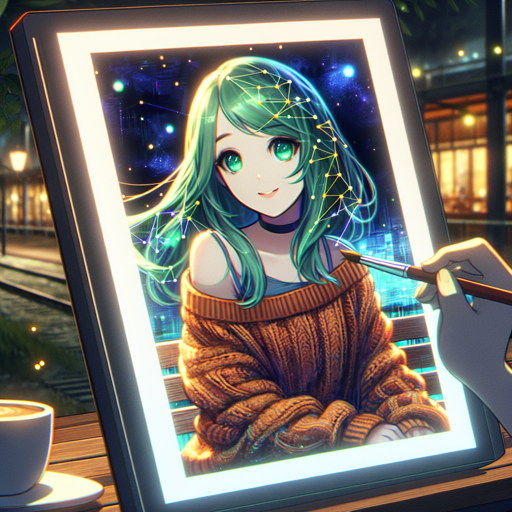
Welcome to the fascinating world of Waifu Diffusion, a latent text-to-image diffusion model that allows you to create stunning anime images effortlessly! In this guide, we’ll walk you through the process of utilizing Waifu Diffusion v1.4, discuss the licensing requirements, and provide troubleshooting tips to enhance your experience.
Understanding Waifu Diffusion
Waifu Diffusion is like a magical artist that listens to your creative ideas and transforms them into delightful anime-style artworks. Imagine you’re telling a painter your vision: you wanted a character with green hair, a cozy sweater, and a night-time outdoor setting. The model takes your descriptive words and interprets them to create a beautiful piece of art. Just as an artist uses their skills to bring a vision to life, Waifu Diffusion uses a sophisticated algorithm trained on high-quality anime images to generate unique artworks based on your text input.
Getting Started with Waifu Diffusion v1.4
- Download the Model: First, you’ll need to download the model checkpoint file from here.
- Set Up Inference Config: After that, download the inference configuration file from this link.
- Installation: Follow the instructions included in the files to set up the model within Automatics WebUI or the original Stable Diffusion codebase.
- Generating Art: Enter your desired text prompt (like, “1 girl with green hair in a sweater looking at the viewer”) and let the model create your unique artwork.
License Information
This model operates under the CreativeML OpenRAIL-M license, which allows you to use and share the generated outputs freely, provided you adhere to certain guidelines:
- You cannot produce or share illegal or harmful content.
- You have full rights to the outputs you generate, but you remain accountable for their use.
- You may distribute the weights and use the model commercially, ensuring you inform your users of the licensing terms.
For full licensing details, please read the full license here.
Downstream Uses
The Waifu Diffusion model is a versatile tool that can be used for various purposes, including:
- Entertainment: Create personalized images for fun.
- Generative Art Production: As an assistant in your artistic projects, Waifu Diffusion can help design characters and scenes based on your ideas.
Troubleshooting Tips
If you encounter any issues while using Waifu Diffusion, consider the following troubleshooting steps:
- Ensure that you have installed the necessary files correctly. Double-check that the paths in your configuration point to the right locations.
- If the generated images do not meet your expectations, try adjusting your text prompts for more clarity and specificity.
- Consult the community for support; joining the Discord server can provide you with additional resources and tips from experienced users.
- Ensure that your environment meets the hardware requirements for running the model effectively.
For more insights, updates, or to collaborate on AI development projects, stay connected with fxis.ai.
Acknowledgements
This project wouldn’t be possible without the remarkable contributions from the teams at Stability AI and NovelAI. Special thanks to:
At fxis.ai, we believe that such advancements are crucial for the future of AI, as they enable more comprehensive and effective solutions. Our team is continually exploring new methodologies to push the envelope in artificial intelligence, ensuring that our clients benefit from the latest technological innovations.