
In today’s fast-paced digital world, Automatic Speech Recognition (ASR) technology has become increasingly vital for transcribing and translating audio into text. The Whisper model by OpenAI is a pioneer in this field, trained on a massive 680,000 hours of labeled audio data. This article will guide you through using the Whisper model effectively, providing insights into its functionality, usage, and troubleshooting tips.
Understanding Whisper: An Analogy
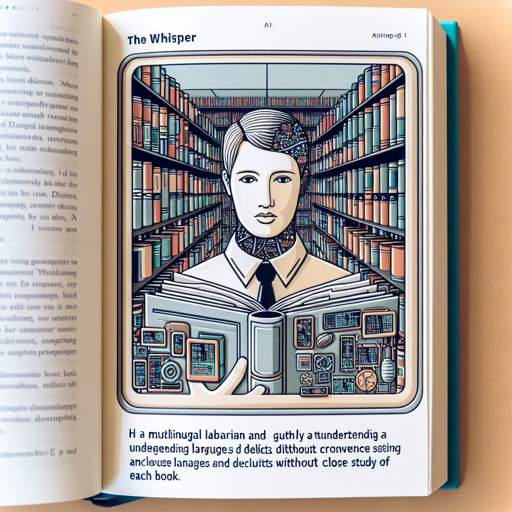
Imagine you have a multilingual librarian in your library, trained to understand various dialects and languages without needing to study each book in detail. Whisper acts similarly as it listens to audio and effortlessly converts it into text. Just like the librarian categorizes information based on the language and context provided, Whisper processes audio inputs and offers transcriptions or translations based on specific tokens you provide.
Getting Started: Installation and Setup
- Ensure you have Python installed on your machine.
- Install the Whisper library from Hugging Face using pip:
pip install transformers datasetsTranscribing Audio Samples using Whisper
To transcribe audio, you first require the WhisperProcessor and WhisperForConditionalGeneration. Here’s a quick example of how to do that:
from transformers import WhisperProcessor, WhisperForConditionalGeneration
from datasets import load_dataset

# load model and processor
processor = WhisperProcessor.from_pretrained("openai/whisper-small")
model = WhisperForConditionalGeneration.from_pretrained("openai/whisper-small")

# load dummy dataset and read audio files
ds = load_dataset("hf-internal-testing/librispeech_asr_dummy", "clean", split="validation")
sample = ds[0]["audio"]

input_features = processor(sample["array"], sampling_rate=sample["sampling_rate"], return_tensors="pt").input_features
# generate token ids
predicted_ids = model.generate(input_features)

# decode token ids to text
transcription = processor.batch_decode(predicted_ids, skip_special_tokens=True)
This code will produce a transcription from the audio input. Remember, your audio must be under 30 seconds for ideal performance unless you implement chunking.
Evaluation and Fine-Tuning
Whisper can perform exceptionally well with English speech due to its extensive training with English data. However, it also supports multiple languages and speech translation. Fine-tuning can enhance its performance for specific languages. The blog post on Fine-Tune Whisper with 🤗 Transformers provides a thorough guide for this process.
Troubleshooting Tips
- Low Accuracy: If you find the model produces low-quality transcriptions, it may be due to background noise or accents that it wasn’t well-trained on. Ensure that your audio is as clear as possible.
- Training Data Limitations: Models can underperform with languages that have fewer training data. Consider fine-tuning the model with relevant data for better results.
- If you encounter other issues, check system requirements and libraries, as they might need updates or specific configurations to work correctly.
For more insights, updates, or to collaborate on AI development projects, stay connected with fxis.ai.
Conclusion
At fxis.ai, we believe that such advancements are crucial for the future of AI, enabling more comprehensive and effective solutions. Our team is continually exploring new methodologies to push the envelope in artificial intelligence, ensuring that our clients benefit from the latest technological innovations.