
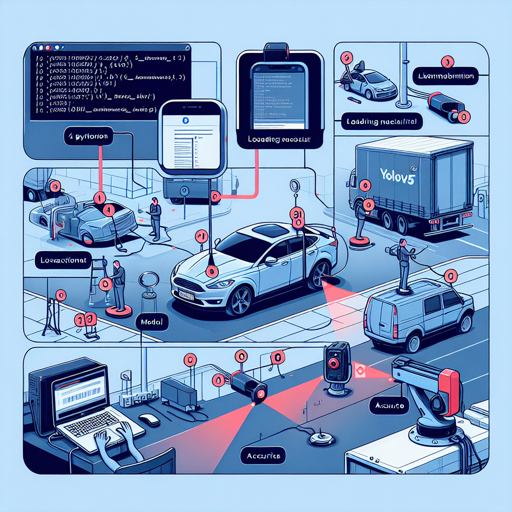
Object detection has become a pivotal part of modern AI, and YOLOv5 stands out as one of the most effective methods for this purpose. This blog will guide you through the steps to set up and use YOLOv5 for license plate detection using the Keremberke model.
Getting Started
Before diving into the code, ensure you have Python and the necessary libraries installed on your system. For our specific task, we will utilize the YOLOv5 model released by Keremberke.
Step 1: Install YOLOv5
Open your terminal or command prompt and execute the following command:
bash
pip install -U yolov5
Step 2: Load the Model and Perform Predictions
Here, we will load the Keremberke license plate detection model and set up the required parameters:
python
import yolov5

# Load model
model = yolov5.load('keremberke/yolov5m-license-plate')

# Set model parameters
model.conf = 0.25  # NMS confidence threshold
model.iou = 0.45  # NMS IoU threshold
model.agnostic = False  # NMS class-agnostic
model.multi_label = False  # NMS multiple labels per box
model.max_det = 1000  # Maximum number of detections per image

# Set image
img = 'https://github.com/ultralytics/yolov5/raw/master/data/images/zidane.jpg'

# Perform inference
results = model(img, size=640)
# Inference with test time augmentation
results = model(img, augment=True)

# Parse results
predictions = results.pred[0]
boxes = predictions[:, :4]  # x1, y1, x2, y2
scores = predictions[:, 4]
categories = predictions[:, 5]

# Show detection bounding boxes on image
results.show()

# Save results into results folder
results.save(save_dir='results')
Understanding the Code Through Analogy
Imagine you’re hosting a dinner party. You need a chef (the model) who can cook (detect objects) for you. First, you select your chef and give him a recipe book (the model parameters) that includes details such as the type of cuisine they can prepare (confidence threshold), how to plate the dishes (IoU threshold), and the number of dishes they can serve (maximum detections). Next, you hand them all the ingredients (the image) for the dish. The chef will then skillfully prepare and present the food (draw bounding boxes), ensuring everything is perfect before it’s served!
Step 3: Finetune the Model on Your Custom Dataset
If you want to customize the model further for your own use, you can finetune it with your dataset. This ensures that the model learns specific features that are significant for your application:
bash
yolov5 train --data data.yaml --img 640 --batch 16 --weights keremberke/yolov5m-license-plate --epochs 10
Troubleshooting Common Issues
Like any software, you might encounter issues while implementing the YOLOv5 model. Here are some common troubleshooting ideas:
- Installation Errors: Ensure pip is updated. Sometimes installing in a virtual environment helps.
- Model Loading Issues: Verify the model name and path you are using (keremberke/yolov5m-license-plate).
- No Detections: Ensure that the input image is clear and properly represents the use-case for better results.
- Performance Issues: Adjust the parameters (like model.conf) to see if the results improve.
If you need more assistance or further insights, feel free to check our community resources or collaborate on AI development projects at fxis.ai.
Conclusion
With these steps, you should be able to implement the YOLOv5 license plate detection model effectively. Experiment with different parameters to achieve the best results.
At fxis.ai, we believe that such advancements are crucial for the future of AI, as they enable more comprehensive and effective solutions. Our team is continually exploring new methodologies to push the envelope in artificial intelligence, ensuring that our clients benefit from the latest technological innovations.
Explore More
If you’re interested in exploring more models similar to YOLOv5, check out the list of models at the awesome-yolov5-models.