
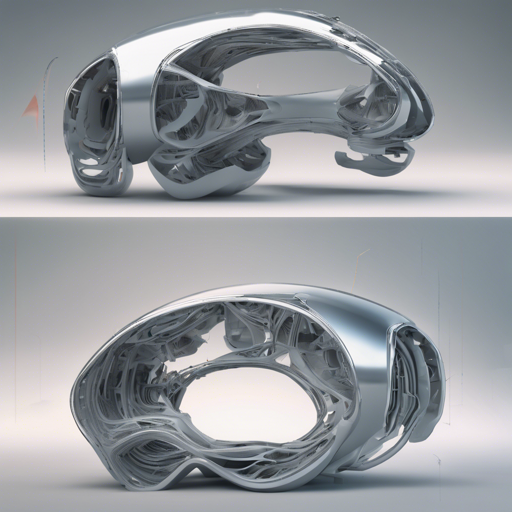
In the rapidly evolving realm of artificial intelligence, creating a 3D object from a single image is an impressive feat made possible by technologies like Zero-1-to-3. This guide will walk you through the steps to utilize the Zero-1-to-3 implementation effectively, helping you navigate the intricacies of setup, usage, and training.
Getting Started with Zero-1-to-3
Zero-1-to-3 leverages the HuggingFace diffusion framework, allowing for model inferencing with Pytorch. To dive into the world of 3D generation, follow these steps carefully:
Installation Steps
- Ensure you have Pytorch 2.0 for faster training and inference by setting up a Conda environment:
- Create the environment:
conda create -f environment.ymlconda activate zero123-hfpip install -r requirements.txt- Using Conda:
conda install xformers -c xformerspip install -v -U git+https://github.com/facebookresearch/xformers.git@main#egg=xformersRunning the Pipeline
Once the environment is ready, you can run the diffusers pipeline demo:
python test_zero1to3.pyFor a more interactive experience, utilize the Gradio demo for novel view synthesis:
python gradio_new.pyTraining Your Model
The training process involves downloading and configuring the necessary datasets:
wget https://tri-ml-public.s3.amazonaws.com/datasets/views_release.tar.gzNext, configure the accelerator:
accelerate configTo launch training, you can choose between fp32 or mixed precision:
accelerate launch train_zero1to3.py --train_data_dir data/zero123/views_release --pretrained_model_name_or_path lambdalabs/ssd-image-variations-diffusers --train_batch_size 192 --dataloader_num_workers 16 --output_dir logs --use_ema --gradient_checkpointing --mixed_precision noFor mixed precision, replace “no” with bf16 or fp16 as necessary.
Monitoring Training Progress
For effective tracking of training metrics, you are encouraged to use WandB. Simply log in before starting your training session:
wandb loginTroubleshooting
As with any advanced technology, users may encounter some common issues during installation or execution:
- Ensure that your Python environment is correctly set up with Pytorch compatible versions.
- If models do not train as expected, check the dataset paths and availability.
- Watch out for errors related to xformer installations; verify that you followed the installation instructions precisely.
- Consider using different batch sizes or mixed precision modes if you experience memory issues.
- For more insights, updates, or to collaborate on AI development projects, stay connected with fxis.ai.
At fxis.ai, we believe that such advancements are crucial for the future of AI, as they enable more comprehensive and effective solutions. Our team is continually exploring new methodologies to push the envelope in artificial intelligence, ensuring that our clients benefit from the latest technological innovations.
Conclusion
Utilizing Zero-1-to-3 opens up a world of possibilities in 3D object generation from mere images. By following this guide, you are one step closer to mastering this remarkable technology.