
The IP-Adapter is a lightweight and efficient solution designed to enhance image prompt capabilities for pre-trained text-to-image diffusion models. Perfect for developers and AI enthusiasts alike, this guide will walk you through the essential elements of using the IP-Adapter, as well as how to troubleshoot common issues you might encounter along the way.
Understanding IP-Adapter
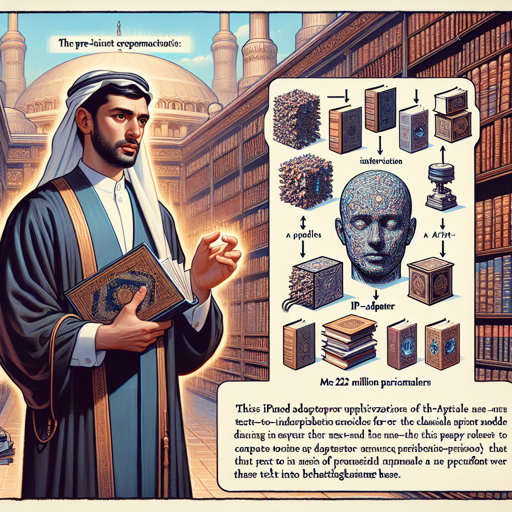
Imagine you have a library full of classical books (the pre-trained text-to-image diffusion models) that give you great stories but lack the pictures to accompany them. Now, think of the IP-Adapter as a talented artist who can transform the text from these books into stunning visual artwork. The IP-Adapter boasts only 22 million parameters yet manages to deliver results comparable to a fully fine-tuned image prompt model. This efficiency allows it to adapt not just to various models fine-tuned from the same base but also to different controllable generation tools.
Getting Started with IP-Adapter
To incorporate the IP-Adapter into your project, follow these steps:
- Download Required Models: Access the necessary models for both SD 1.5 and SDXL 1.0 provided below.
- Integrate the IP-Adapter: Use the available code from the provided repositories to implement the adapter in your application.
- Combine Image and Text Prompts: Experiment with various prompts to see how they work in tandem to generate multimodal images.
Key Models for IP-Adapter
Below are the key models you will be working with:
Image Encoder
- OpenCLIP-ViT-H-14 with 632.08M parameters
- OpenCLIP-ViT-bigG-14 with 1844.9M parameters
IP-Adapter Models for SD 1.5
- ip-adapter_sd15.bin
- ip-adapter_sd15_light.bin
- ip-adapter-plus_sd15.bin
- ip-adapter-plus-face_sd15.bin
IP-Adapter Models for SDXL 1.0
- ip-adapter_sdxl.bin
- ip-adapter_sdxl_vit-h.bin
- ip-adapter-plus_sdxl_vit-h.bin
- ip-adapter-plus-face_sdxl_vit-h.bin
Troubleshooting Common Issues
While using the IP-Adapter might be smooth sailing, there are a few bumps you could encounter along the way:
- Model Loading Issues: Ensure that all models are correctly downloaded and paths are set properly in your code.
- Error in Generating Images: Verify if your prompts are written clearly and that they align with the model capabilities.
- Compatibility Problems: Make sure the versions of the libraries you are using are up-to-date and compatible with the IP-Adapter.
For more insights, updates, or to collaborate on AI development projects, stay connected with fxis.ai.
Conclusion
At fxis.ai, we believe that such advancements are crucial for the future of AI, as they enable more comprehensive and effective solutions. Our team is continually exploring new methodologies to push the envelope in artificial intelligence, ensuring that our clients benefit from the latest technological innovations.