
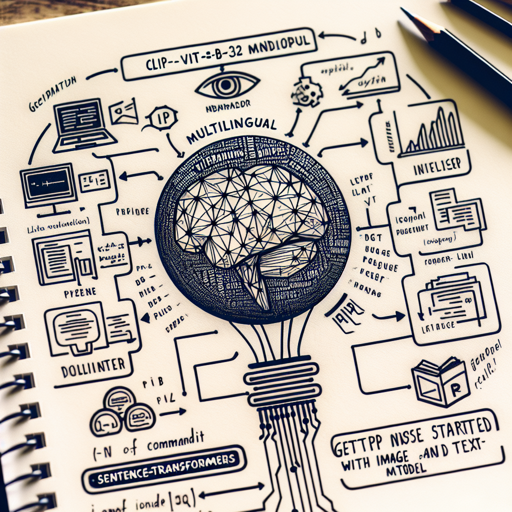
In the realm of artificial intelligence, image recognition and search are rapidly evolving. One marvel of technology in this field is the CLIP-ViT-B-32 Multilingual ONNX model, which bridges the gap between image and text processing in over 50 languages. This article will help you understand how to set up and utilize this phenomenal model effectively, and troubleshoot any obstacles you may encounter along the way.
Getting Started with Image and Text Embedding
Before we embark on our journey, ensure you have the sentence-transformers library installed. If you haven’t yet, install it using the following command:
pip install -U sentence-transformersApplying the Model
Here’s a quick analogy to visualize the process of utilizing the model. Imagine you’re at a bustling airport with travelers from different parts of the globe (images in various languages). Each traveler has a unique passport (text input) that needs to be matched with the correct boarding gate (image vector). The CLIP-ViT-B-32 model serves as airport security, ensuring each passport corresponds to the right boarding gate!
Now, let’s walk through the code that enables this functionality:
from sentence_transformers import SentenceTransformer, util
from PIL import Image, ImageFile
import requests
import torch

# Image model for encoding images
img_model = SentenceTransformer('clip-ViT-B-32')

# Text embedding model for multiple languages
text_model = SentenceTransformer('sentence-transformers/clip-ViT-B-32-multilingual-v1')

# Function to load an image
def load_image(url_or_path):
    if url_or_path.startswith('http:') or url_or_path.startswith('https:'):
        return Image.open(requests.get(url_or_path, stream=True).raw)
    else:
        return Image.open(url_or_path)

# Load images using their paths or URLs
img_paths = [
    'https://unsplash.com/photos/QtxgNsmJQSs/download?ixid=MnwxMjA3fDB8MXxhbGx8fHx8fHx8fHwxNjM1ODQ0MjY3&w=640',
    'https://unsplash.com/photos/9UUoGaaHtNE/download?ixid=MnwxMjA3fDB8MXxzZWFyY2h8Mnx8Y2F0fHwwfHx8fDE2MzU4NDI1ODQw&w=640',
    'https://unsplash.com/photos/Siuwr3uCir0/download?ixid=MnwxMjA3fDB8MXxzZWFyY2h8NHx8YmVhY2h8fDB8fHx8MTYzNTg0MjYzMw&w=640'
]

images = [load_image(img) for img in img_paths]

# Map images to the vector space
img_embeddings = img_model.encode(images)

# Encode text inputs
texts = [
    'A dog in the snow',
    'Eine Katze',  # German: A cat
    'Una playa con palmeras.'  # Spanish: a beach with palm trees
]
text_embeddings = text_model.encode(texts)

# Compute cosine similarities
cos_sim = util.cos_sim(text_embeddings, img_embeddings)
for text, scores in zip(texts, cos_sim):
    max_img_idx = torch.argmax(scores)
    print("Text:", text)
    print("Score:", scores[max_img_idx])
    print("Path:", img_paths[max_img_idx])
Key Steps in the Code
- Load Libraries: Essential libraries are imported for image and text processing.
- Initialize Models: Separate models are initialized for processing images and texts.
- Load Images: Images are loaded from URLs or local paths through a function load_image.
- Map Images to Vector Space: Each image is transformed into a vector representation.
- Encode Text: Similarly, text embeddings are created to match with image vectors.
- Compute Cosine Similarities: Finally, similarities are calculated between text and image embeddings.
Troubleshooting Common Issues
As with any technology, you may run into a few bumps along the way. Here are some common troubleshooting tips:
- Module Not Found: Ensure that the sentence-transformers library is correctly installed.
- Invalid Image URL: Double-check that the images you are trying to access are available and the URLs are correct.
- Model Loading Errors: Ensure you’re using the proper model names and check for any typos in the code.
For more insights, updates, or to collaborate on AI development projects, stay connected with fxis.ai.
Conclusion
The CLIP-ViT-B-32 Multilingual ONNX model opens exciting avenues in image search and classification, allowing for seamless operations across multiple languages. Its effective embedding processes ensure reliable results in most scenarios.
At fxis.ai, we believe that such advancements are crucial for the future of AI, as they enable more comprehensive and effective solutions. Our team is continually exploring new methodologies to push the envelope in artificial intelligence, ensuring that our clients benefit from the latest technological innovations.