
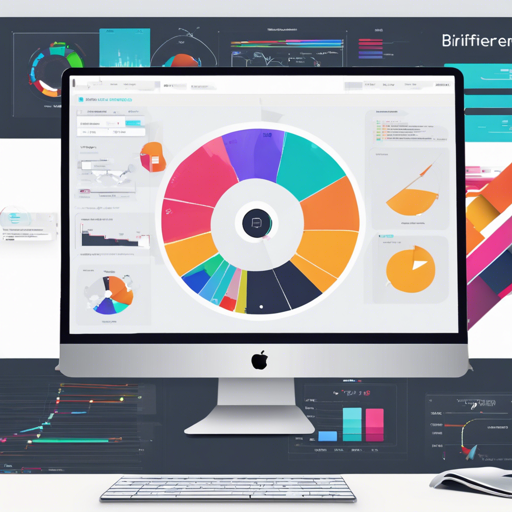
Unlock the potential of notebooks and dashboards using Python, SQL, scheduling, native visualizations, code generation, and more with Briefer.
What is Briefer?
Briefer serves as a bridge between technical prowess and user-friendly interfaces, making it possible for both technical and non-technical users to create, share, and interact with data effortlessly. With Briefer, you have the power to:
- Create notebooks and dashboards with Markdown, Python, SQL, and native visualizations.
- Build interactive data applications with inputs, dropdowns, and date pickers.
- Generate code and queries using an intelligent AI that comprehends your database schema.
- Schedule updates for continuous monitoring of your dashboards.
- Collaborate in real-time with multiple users on the same notebook or dashboard.
Quick Start with Briefer
To get started with Briefer, install it using pip and run it with the briefer command. It’s crucial to have Docker installed on your machine:
bash
# Install Briefer
pip install briefer

# Run Briefer and access it on http://localhost:3000
briefer
Alternatively, if you’re more comfortable with Docker, you can run Briefer directly:
bash
# Run Briefer using Docker
docker run -d \
   -p 3000:3000 \
   -v briefer_psql_data:/var/lib/postgresql/data \
   -v briefer_jupyter_data:/home/jupyteruser \
   -v briefer_briefer_data:/home/briefer \
   briefercloud/briefer
Using Briefer Effectively
Briefer is designed for collaboration. Once deployed, team members can create pages to share insights. Users can connect Briefer to various databases—including PostgreSQL, BigQuery, Redshift, Athena, and MySQL—to fetch external data.
The Briefer Interface
You can view each page in Briefer as a notebook or a dashboard:
- Notebook Mode: Write SQL for data fetching, use Python for analysis, and Markdown for documentation. Utilize native visualizations for chart creation without code.
- Dashboard Mode: Drag and drop elements from your notebook to build interactive dashboards.
Once your notebook or dashboard is ready, publish your changes to make them accessible to other users.
Why Choose Briefer Over Other Tools?
While traditional BI tools like Tableau and Jupyter Notebooks may be popular, Briefer has several advantages:
Briefer vs. Traditional BI Tools
- Briefer allows you to manipulate data with Python while still using SQL and no-code visualizations.
- Fetch and combine data from multi-sources easily and integrate predictive analytics using machine learning.
- Work seamlessly in one environment without switching between a BI tool and a notebook.
Briefer vs. Notebooks
- Your notebooks are easily shareable and maintainable, especially for non-technical users.
- Secure handling of credentials without the complexity of local configurations.
- UX improvements like integrated scheduling and AI-driven code generation.
Briefer Architecture
Briefer operates on a three-component system: the web interface, API, and optional AI services, all requiring a PostgreSQL database and a Jupyter server to run code. This setup ensures a smooth experience as you create and edit notebooks and dashboards.
Troubleshooting Tips
If you encounter issues while using Briefer, consider the following troubleshooting steps:
- Check that Docker is properly installed and running.
- Ensure the necessary ports are open and accessible.
- Verify that all necessary volumes for data storage are correctly set up.
- If you’re experiencing performance issues, consider allocating more resources to your Docker container.
For more insights, updates, or to collaborate on AI development projects, stay connected with fxis.ai.
At fxis.ai, we believe that such advancements are crucial for the future of AI, as they enable more comprehensive and effective solutions. Our team is continually exploring new methodologies to push the envelope in artificial intelligence, ensuring that our clients benefit from the latest technological innovations.