
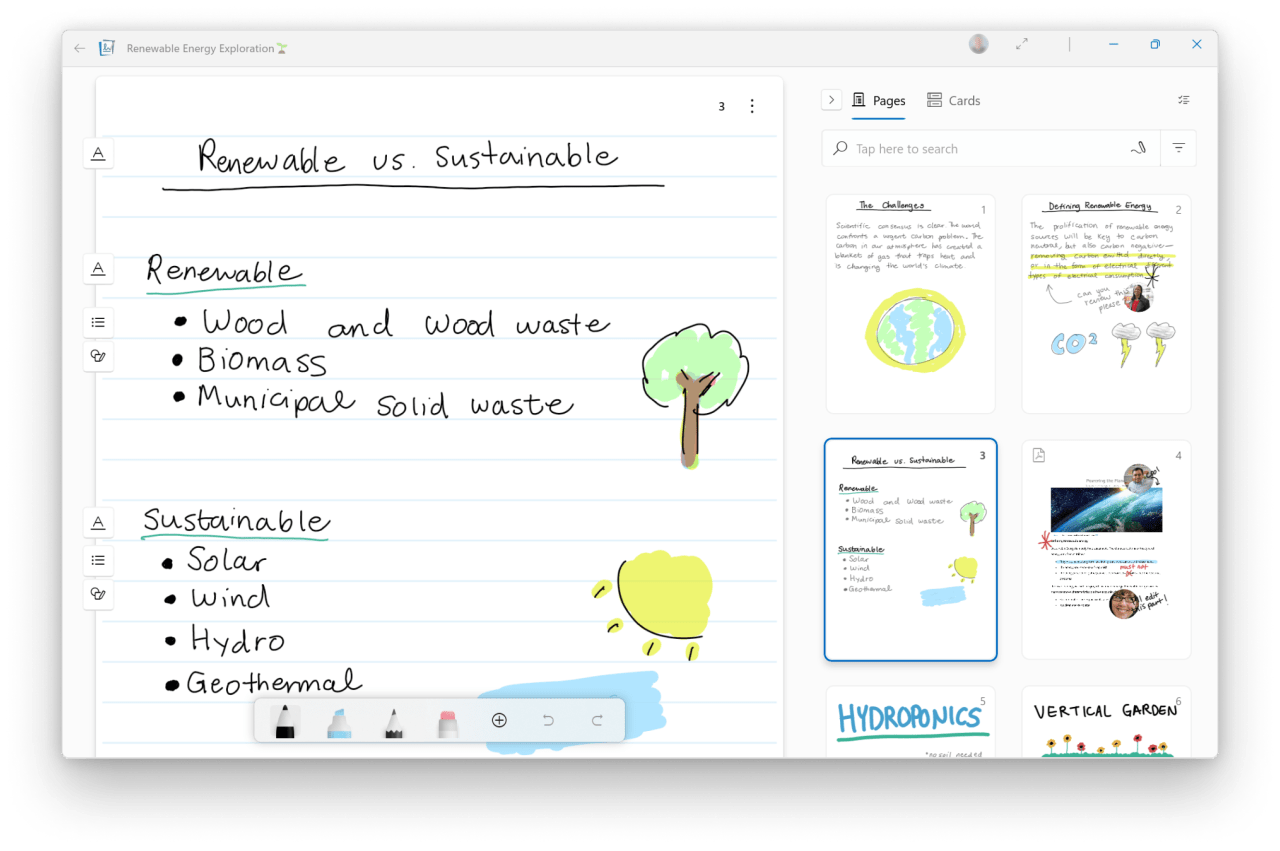
In an era where digital solutions drive productivity, Microsoft has taken a pivotal step forward by introducing an upgraded note-taking application – Microsoft Journal. This transition from a simple experimental project within the Microsoft Garage to a full-fledged application marks not only a technological evolution but also a profound understanding of how users interact with content in a digital workspace. Let’s explore this innovative tool and how it’s changing the way we capture thoughts and ideas.
From Concept to Reality: The Journey of Microsoft Journal
The roots of Microsoft Journal trace back to the company’s ventures into ink-centric applications dating back to 2002. Providing an alternative to traditional pen and paper was no simple feat. The team aimed to bring a seamless blend of digital formatting and personalization through AI technology, ultimately facilitating a more intuitive user experience.
AI-Powered Functionality Enhancements
One of the standout features of Microsoft Journal is its integration of artificial intelligence that enhances the note-taking process. Here’s how:
- Automatic Recognition: The app intelligently categorizes and identifies different components of your notes, such as headings and key phrases, simplifying the organization of thoughts.
- Improved Search Capabilities: Gone are the days of aimlessly sifting through countless notes. The AI-driven search functionality lets users quickly retrieve old notes and sketches based on nuanced understanding.
- Gesture Recognition: New gestures, including the ‘scratch out’ and ‘instant lasso,’ encourage fluidity in note-taking, eliminating cumbersome mode switches.
Streamlined Features for Enhanced Productivity
Microsoft Journal isn’t just about AI; it’s also packed with essential tools to streamline your productivity:
- Drag-and-Drop Support: Effortlessly move content between pages and other applications, making document management simple.
- PDF Markup: Annotate and interact with PDFs directly within the app – a feature that, as research indicates, is one of its primary use cases.
- Microsoft 365 Integration: Effortlessly sync meeting notes and collaborate with others using Microsoft’s suite of productivity applications.
The User Experience: Insights from Feedback
During its incubation period, Microsoft Journal’s team engaged deeply with user experiences to tailor interactions according to diverse preferences. Users’ inclination towards annotating documents shaped the development of features, prioritizing accessibility and ease-of-use. Gleaning valuable insights from their time as a Garage project, the team is now poised to address user feedback and enhance functionality further.
A Modern Look for a Modern Age
Now officially launched, Microsoft Journal embodies a fresh design aligned with the aesthetics of Windows 11. The updated interface mirrors a contemporary vibe while ensuring that users benefit from both form and function.
Conclusion: The Future of Note-Taking is Here
Microsoft Journal represents a significant leap in the evolution of note-taking applications, perfectly blending advanced AI mechanics with user-friendly features to redefine how we document our thoughts. The journey of digital note-taking is just beginning, and with continuous updates and improvements on the horizon, Microsoft is setting the stage for a richer, more productive user experience.
At fxis.ai, we believe that such advancements are crucial for the future of AI, as they enable more comprehensive and effective solutions. Our team is continually exploring new methodologies to push the envelope in artificial intelligence, ensuring that our clients benefit from the latest technological innovations.
For more insights, updates, or to collaborate on AI development projects, stay connected with fxis.ai.