
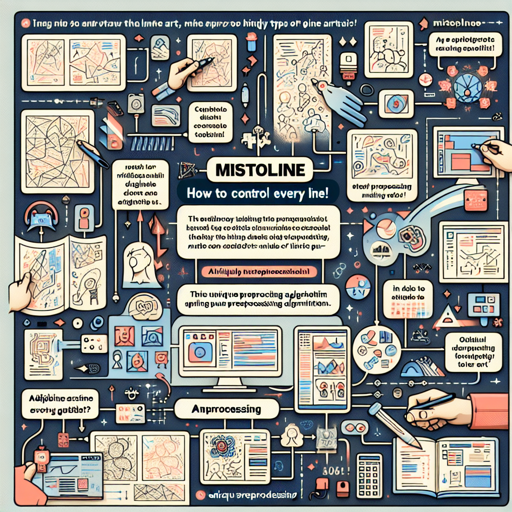
Welcome to our guide on using the MistoLine model, a revolutionary SDXL-ControlNet that allows you to adapt to various types of line art while achieving stellar image quality. With MistoLine, you don’t have to stress about switching between different ControlNet models for different kinds of line art. Are you ready to dive into the world of versatile line art conditioning? Let’s get started!
Getting Started with MistoLine
MistoLine is designed to handle user-provided line art of various types, from hand-drawn sketches to model-generated outlines. It employs a novel line preprocessing algorithm, Anyline, ensuring high accuracy and exceptional stability. Let’s explore how to install and utilize this state-of-the-art model effectively.
Installation Steps
Follow these simple steps to install the necessary libraries for MistoLine:
- Open your terminal.
- Run the following command to install the essential libraries:
pip install accelerate transformers safetensors opencv-python diffusersBasic Usage of MistoLine
Now that we have the libraries installed, we can start using MistoLine. Below is the core code that sets up the model and processes your input:
from diffusers import ControlNetModel, StableDiffusionXLControlNetPipeline, AutoencoderKL
from diffusers.utils import load_image
from PIL import Image
import torch
import numpy as np
import cv2

prompt = "aerial view, a futuristic research complex in a bright foggy jungle, hard lighting"
negative_prompt = 'low quality, bad quality, sketches'
image = load_image("https://huggingface.co/datasets/hf-internal-testing/diffusers-images/resolve/main/sd_controlnet/hf-logo.png")
controlnet_conditioning_scale = 0.5
controlnet = ControlNetModel.from_pretrained(
    "TheMistoAI/MistoLine",
    torch_dtype=torch.float16,
    variant="fp16",
)
vae = AutoencoderKL.from_pretrained("madebyollin/sdxl-vae-fp16-fix", torch_dtype=torch.float16)
pipe = StableDiffusionXLControlNetPipeline.from_pretrained(
    "stabilityai/stable-diffusion-xl-base-1.0",
    controlnet=controlnet,
    vae=vae,
    torch_dtype=torch.float16,
)
pipe.enable_model_cpu_offload()

image = np.array(image)
image = cv2.Canny(image, 100, 200)
image = image[:, :, None]
image = np.concatenate([image, image, image], axis=2)
image = Image.fromarray(image)

images = pipe(
    prompt,
    negative_prompt=negative_prompt,
    image=image,
    controlnet_conditioning_scale=controlnet_conditioning_scale,
).images

images[0].save(f"hug_lab.png")
Explaining the Code with an Analogy
Imagine you’re a chef preparing an exquisite dish (in this case, an image). First, you gather all your ingredients (the necessary libraries). Then, you select a star ingredient, say, a premium cut of meat (the line art input). You can enhance the meat’s flavor with various spices (the prompts here), while also considering any unwanted tastes you want to avoid (the negative prompts).
Next, you choose the best method to cook your dish—roasting, grilling, or maybe sous-vide (this refers to choosing the control model and settings). Once cooked, you plate the food beautifully (saving the resultant image). Voila! You have transformed raw elements into a masterpiece that tantalizes taste buds, just as MistoLine does with your line art!
Recommended Parameters for ComfyUI
For optimal performance in ComfyUI, consider using the following parameters:
sampler steps: 30
CFG: 7.0
sampler_name: dpmpp_2m_sde
scheduler: karras
denoise: 0.93
controlnet_strength: 1.0
stargt_percent: 0.0
end_percent: 0.9
Troubleshooting Tips
If you encounter any issues while using MistoLine, here are some troubleshooting steps:
- Ensure all the necessary libraries are properly installed. Re-running the installation command can resolve missing dependencies.
- Check if the image URL is valid and accessible. A broken URL will prevent the image from loading.
- If performance seems off, consider adjusting the recommended parameters for better results.
- Consult the official GitHub repository [**MistoLine GitHub Repo**](https://github.com/TheMistoAI/MistoLine) for the latest updates and detailed documentation.
- If further assistance is needed, reach out via the email provided info@themisto.ai.
For more insights, updates, or to collaborate on AI development projects, stay connected with fxis.ai.
Conclusion
At fxis.ai, we believe that such advancements are crucial for the future of AI, as they enable more comprehensive and effective solutions. Our team is continually exploring new methodologies to push the envelope in artificial intelligence, ensuring that our clients benefit from the latest technological innovations.
Further References
For deeper insights into ControlNet, feel free to explore the following resources: