
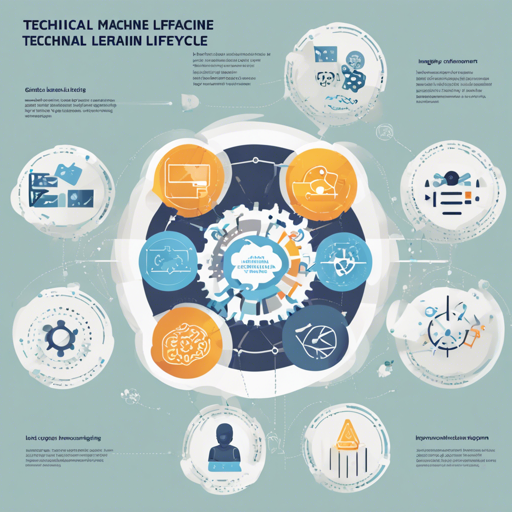
MLflow is a powerful platform that simplifies the intricate journey of machine learning development. It provides tools to track experiments, package code for reproducibility, and share models. Whether you’re using popular libraries like TensorFlow, PyTorch, or XGBoost, MLflow seamlessly integrates into your existing workflows, whether in notebooks, standalone applications, or the cloud.
Core Components of MLflow
MLflow comprises four primary components, each designed to fulfill distinct operational needs:
- MLflow Tracking: An API for logging parameters, code, and results during machine learning experiments. It also offers a user-friendly UI for comparing results.
- MLflow Projects: This component provides a packaging format for reproducible runs using tools like Conda and Docker, facilitating code sharing.
- MLflow Models: A model packaging format and deployment tools that let you deploy models across various platforms like Docker and AWS SageMaker.
- MLflow Model Registry: A centralized model store to collaboratively manage the complete lifecycle of ML models.
Getting Started with MLflow
Here’s how to install and get started with MLflow:
- Install MLflow via PyPI by running the following command:
pip install mlflowpip install mlflow-skinnyRunning a Sample Application with Tracking API
You can run a sample application using the MLflow Tracking API. Open your terminal and run the following command:
python examples/quickstart_mlflow_tracking.pyThis will log tracking data in a .mlruns directory, which can then be viewed using the MLflow Tracking UI.
Launching the MLflow Tracking UI
To visualize your logs, initiate the MLflow Tracking UI using:
mlflow uiAccess the UI at http://localhost:5000 to analyze your experiments.
Simplifying Model Management
MLflow makes it easy to save and serve models. For instance, using the `mlflow.sklearn` package, you can log scikit-learn models and serve them afterward. Here’s a step-by-step analogy:
Imagine you’re a chef (data scientist) working in a kitchen (development environment). You create a unique dish (model) using various ingredients (data features). After tasting it, you decide it’s perfect and want to share it with others. You take the dish, package it nicely (log the model), and set up a display area (model serving) where your colleagues can come to taste your culinary masterpiece.
Troubleshooting Tips
Encounter any issues? Here are some troubleshooting ideas:
- Ensure that you have installed all necessary dependencies for MLflow, especially if using the ‘skinny’ version.
- If the MLflow UI isn’t rendering, check if the port 5000 is already in use or if you have permission issues.
- Review your tracking logs for any discrepancies; they’ll often give clues about potential issues.
- To better understand errors, consult the official MLflow documentation.
For more insights, updates, or to collaborate on AI development projects, stay connected with fxis.ai.
Join the MLflow Community
You’re welcome to ask questions or seek help regarding MLflow through the community forums or check out the documentation for guidance. You can also report bugs or submit feature requests directly on GitHub.
At fxis.ai, we believe that such advancements are crucial for the future of AI, as they enable more comprehensive and effective solutions. Our team is continually exploring new methodologies to push the envelope in artificial intelligence, ensuring that our clients benefit from the latest technological innovations.