
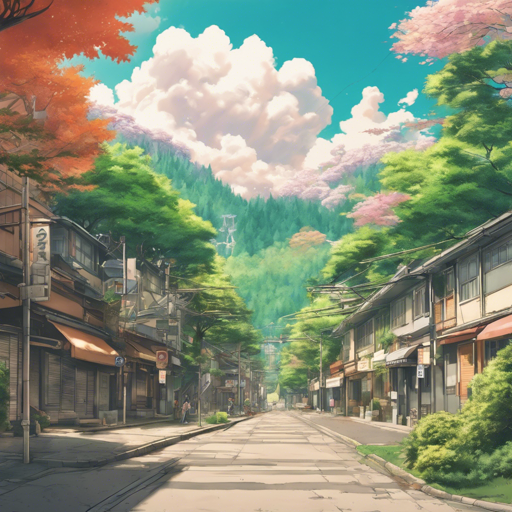
Have you ever dreamt of taking a regular snapshot and transforming it into a breathtaking anime-style background? With the help of the AnimeBackgroundGAN (a derivative of CartoonGAN), you can dive into the vibrant world of Japanese animation and create visually stunning landscapes that echo the rich styles of legendary directors. Let’s unveil the magic behind this, enabling you to bring your artistic visions to life!
Prerequisites
- Basic knowledge of Python and PyTorch.
- A suitable environment to run your code (like Jupyter Notebook).
- Access to necessary libraries including torchvision and any required dependencies.
Getting Started with AnimeBackgroundGAN
The AnimeBackgroundGAN is a pre-trained model that skillfully modifies your real-life images by encapsulating the unique aesthetics of various Japanese animation styles. Below are the steps to utilize this incredible model.
Step 1: Installation
First, ensure you have the required libraries installed. You can install PyTorch and torchvision using pip:
pip install torch torchvisionStep 2: Download the Model
You can find the pre-trained model at the following links depending on your desired animation style:
Step 3: Load the Model and Transform Your Image
By loading the pre-trained model in PyTorch, you can now begin transforming images with a few lines of code. The process works similarly to ordering a meal at a restaurant: you call in your dish (image), and the chef (model) prepares it to your specifications. Each director offers a unique flavor, just as each style lends a different lens through which to view the world!
import torch
from model import AnimeBackgroundGAN # hypothetical import

# Load your model
model = AnimeBackgroundGAN.load_pretrained("path/to/model")
image = load_your_image("path/to/your/photo.jpg")
output = model(image)

# Save or display the transformed output
save_output(output, "path/to/save/your/anime_background.jpg")
Troubleshooting Tips
If you encounter issues during setup or execution, here are some suggestions to consider:
- Install Issues: Ensure that your versions of PyTorch and torchvision are compatible with each other. Check the documentation for specific version requirements.
- Image Processing Errors: Confirm your image paths are accurate and that the images are in a supported format (e.g., JPG, PNG).
- Model Loading Failures: Make sure you’ve correctly downloaded the model files and specified the right path in the code.
For more insights, updates, or to collaborate on AI development projects, stay connected with fxis.ai.
Conclusion
Now that you’re equipped to bring the vibrant world of anime backgrounds directly to your images, it’s time to unleash your creativity! With the help of AnimeBackgroundGAN, you can transform ordinary photographs into artwork that embodies the unique styles of famed anime directors.
At fxis.ai, we believe that such advancements are crucial for the future of AI, as they enable more comprehensive and effective solutions. Our team is continually exploring new methodologies to push the envelope in artificial intelligence, ensuring that our clients benefit from the latest technological innovations.