
Welcome to the fascinating world of image classification! Today, we’re diving into the RegNet model, an innovative tool that leverages artificial intelligence to help classify images efficiently. In this post, we will guide you through how to employ this model, explore some example images, and address common troubleshooting steps.
What is RegNet?
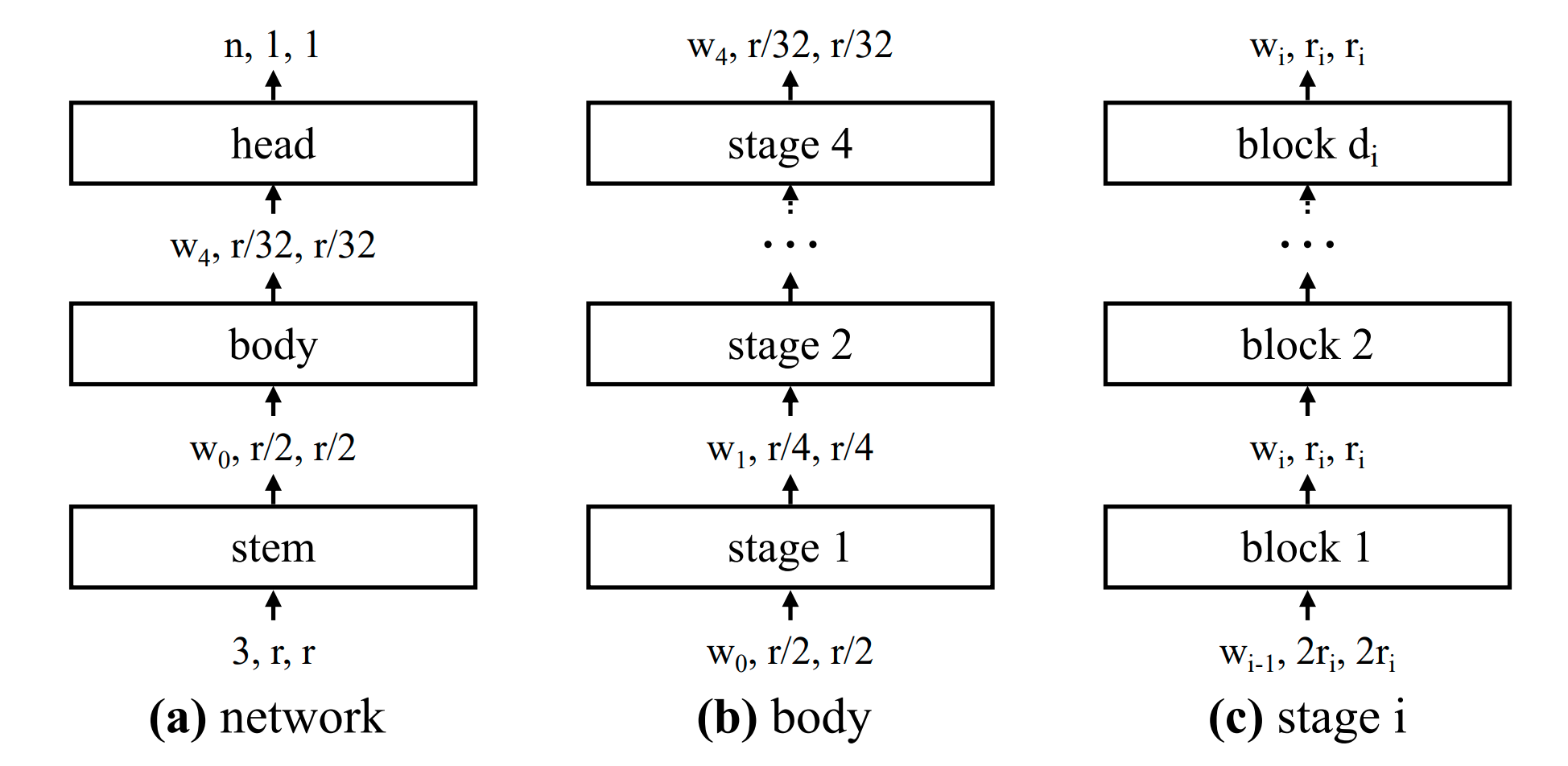
RegNet, introduced in the paper Designing Network Design Spaces, is a pioneering model trained on the imagenet-1k dataset. This model aims to enhance the process of Neural Architecture Search (NAS) by systematically optimizing a high-dimensional search space for better-performing models.
Intended Uses and Limitations
RegNet can be utilized for raw image classification tasks. If you’re looking for pre-trained or fine-tuned versions modeled for specific tasks, check out the model hub here. This repository is filled with resources suitable for various applications.
How to Use RegNet
To make the most out of the RegNet model, you can follow these simple steps:
- Install the required libraries, ensuring you have access to both
transformersanddatasetsfrom Hugging Face. - Load the dataset that contains the images you want to classify.
- Utilize both the
feature_extractorandRegNetForImageClassificationto process the images. - Make predictions based on the input image and interpret the output.
Here’s a code snippet to help you get started:
python
from transformers import AutoFeatureExtractor, RegNetForImageClassification
import torch
from datasets import load_dataset

# Load dataset
dataset = load_dataset("huggingface/cats-image")
image = dataset["test"]["image"][0]

# Load model and extractor
feature_extractor = AutoFeatureExtractor.from_pretrained("zuppif/regnet-y-040")
model = RegNetForImageClassification.from_pretrained("zuppif/regnet-y-040")

# Process input and predict
inputs = feature_extractor(image, return_tensors="pt")
with torch.no_grad():
    logits = model(**inputs).logits
predicted_label = logits.argmax(-1).item()

# Output the corresponding label
print(model.config.id2label[predicted_label])
Understanding the Code through an Analogy
Imagine you are a librarian in a vast library (the dataset) filled with countless books (images). Your job is to help visitors find the right book they want to read. Each book has a unique cover that helps you identify its genre (features extracted from the image).
The AutoFeatureExtractor acts like a sorting machine that processes each cover and categorizes it based on its unique attributes. Meanwhile, the RegNetForImageClassification model is like you, the librarian, analyzing the sorted covers to predict which genre each book belongs to.
Finally, using the system’s output, you effortlessly direct the visitor to the correct section of the library. This is how RegNet simplifies the task of image classification!
Troubleshooting
If you encounter issues while using RegNet, keep the following tips in mind:
- Ensure you have all necessary libraries installed and up-to-date.
- Check if your dataset is properly formatted and accessible.
- Examine any error messages for hints about what’s going wrong.
If you still face challenges, for more insights, updates, or to collaborate on AI development projects, stay connected with fxis.ai.
At fxis.ai, we believe that such advancements are crucial for the future of AI, as they enable more comprehensive and effective solutions. Our team is continually exploring new methodologies to push the envelope in artificial intelligence, ensuring that our clients benefit from the latest technological innovations.
Conclusion
RegNet is an incredibly powerful model for image classification, streamlining the cumbersome process of identifying images based on learned attributes. With the techniques discussed above, you’ll be well-equipped to harness its potential. Happy coding!