
In our increasingly interconnected world, the ability to communicate across languages isn’t just a handy skill; it’s a gateway to new experiences and relationships. I’ll never forget my first trip abroad. Picture this: I’m sitting in a cozy café, staring at a menu filled with words that seemed completely foreign to me. That moment of confusion sparked a realization about the power of language—how it can either connect us or create barriers. This is where Multilingual OpenFlamingo comes into play, a tool designed to help us bridge those gaps effortlessly.
What is Multilingual OpenFlamingo?
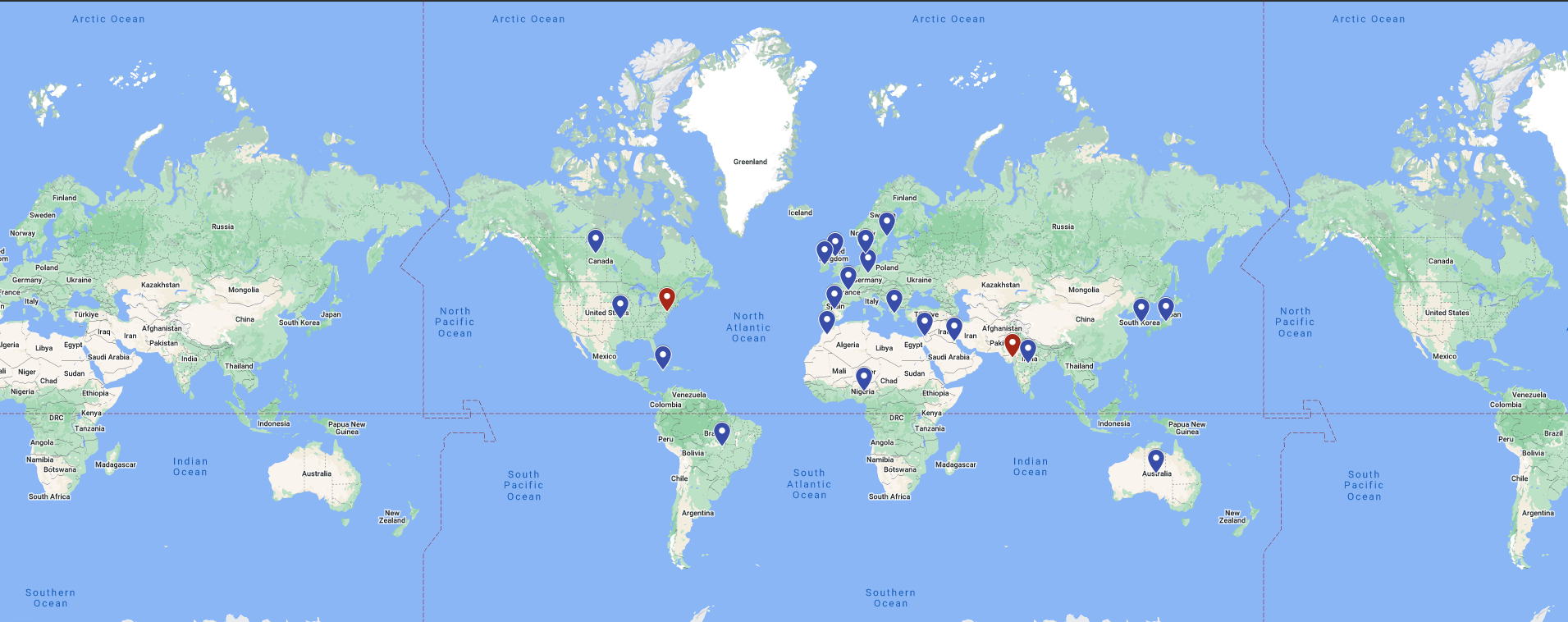
So, what’s the excitement surrounding Multilingual OpenFlamingo? Imagine having a digital companion that can understand and generate text in 43 different languages, while also working with images. It’s not just another tech gadget; it feels like chatting with a friend who truly understands you, regardless of the language you speak. Whether you’re a researcher delving into complex subjects, a developer seeking innovative solutions, or a traveler eager to dive into new cultures, this tool aims to enrich your journey. Unlike some systems that can feel mechanical, Multilingual OpenFlamingo brings a conversational vibe, transforming mundane tasks into engaging interactions.
Why Should You Care?
You might be asking yourself why this tool is worth your attention. Think back to a time when you struggled to find information in a language you didn’t know. That frustrating feeling is all too familiar for many of us. What’s truly revolutionary about Multilingual OpenFlamingo is its ability to process and generate content across languages without burdening you with complicated commands. This opens up a realm of possibilities, making information accessible to everyone, regardless of their linguistic background. By seamlessly blending text and images, it turns tasks like translating and captioning into experiences that are not only easier but also enjoyable.
Getting Started with Multilingual OpenFlamingo
Curious about how to dive into Multilingual OpenFlamingo? It’s simpler than you might think. Let’s walk through the setup together.
Setting Up
First, we need to prepare the software. Here’s a straightforward guide to help you get started:
1. Clone the Repository: Grab the necessary files with just a few commands:
git clone https://github.com/MatthieuFP/open_flamingo cd open_flamingo pip install --editable . pip install numpy==1.26
Initializing the Model
Once you’ve got everything installed, initializing the model is a breeze. Here’s how to do it:
from open_flamingo import create_model_and_transforms model, image_processor, tokenizer = create_model_and_transforms( clip_vision_encoder_path="ViT-L-14", clip_vision_encoder_pretrained="openai", lang_encoder_path="google/gemma-2b", tokenizer_path="google/gemma-2b", cross_attn_every_n_layers=1, ) # Load the model checkpoint from huggingface_hub import hf_hub_download import torch checkpoint_path = hf_hub_download("matthieufp/multilingual_open_flamingo", "checkpoint.pt") _ = model.load_state_dict(torch.load(checkpoint_path), strict=False)
Exploring Image Captioning
One of the standout features of Multilingual OpenFlamingo is its capability to generate captions for images. Let’s explore how you can create captions that beautifully intertwine text and visuals.
Step 1: Load Your Images
Start by loading your images using Python’s PIL library. Here’s a simple way to do that:
from PIL import Image import requests demo_image_one = Image.open( requests.get("http://images.cocodataset.org/val2017/000000397669.jpg", stream=True).raw ) demo_image_two = Image.open( requests.get("http://images.cocodataset.org/test-stuff2017/000000281637.jpg", stream=True).raw ) query_image = Image.open( requests.get("http://images.cocodataset.org/test-stuff2017/000000283652.jpg", stream=True).raw )
Step 2: Prepare the Images
Next, let’s process these images for input:
vision_x = [ image_processor(demo_image_one).unsqueeze(0), image_processor(demo_image_two).unsqueeze(0), image_processor(query_image).unsqueeze(0) ] vision_x = torch.cat(vision_x, dim=0) vision_x = vision_x.unsqueeze(1).unsqueeze(0)
Step 3: Prepare the Text
Now, it’s time to tokenize your text input:
tokenizer.padding_side = "left" # For generation, padding tokens should be on the left lang_x = tokenizer( ["imageAn image of two cats.endofchunkimageAn image of a bathroom sink.endofchunkimageAn image of"], return_tensors="pt", )
Step 4: Generate Captions
Finally, let’s generate text based on your images:
generated_text = model.generate( vision_x=vision_x, lang_x=lang_x["input_ids"], attention_mask=lang_x["attention_mask"], max_new_tokens=20, num_beams=3, ) print("Generated text:", tokenizer.decode(generated_text[0]))
Reflecting on the Journey
Multilingual OpenFlamingo represents more than just a technological advancement; it embodies a vision of a future where communication flows freely, transcending language barriers. By merging text and images, it unlocks exciting opportunities for research, education, and everyday interactions. While it’s primarily geared toward researchers right now, its potential to influence our daily lives is significant. As we refine tools like this, we’re not just pushing the boundaries of AI; we’re paving the way for a more connected and inclusive world.
A Word on Limitations
That said, it’s crucial to acknowledge that Multilingual OpenFlamingo isn’t without its flaws. While it performs impressively, it can occasionally miss the nuances of context. Language and cultural subtleties can sometimes get lost in translation. Additionally, the model’s effectiveness can vary based on the languages involved and the complexity of the input. Like any tool, it’s wise to approach it with a discerning eye, recognizing both its advantages and its limitations.
Further Reading
If you’re intrigued and want to delve deeper, here are some resources that might pique your interest:
- Futeral, Matthieu, et al. "mOSCAR: A Large-scale Multilingual and Multimodal Document-level Corpus." arXiv preprint arXiv:2406.08707 (2024).
- Awadalla, Anas, et al. "OpenFlamingo: An Open-Source Framework for Training Large Autoregressive Vision-Language Models." arXiv preprint arXiv:2308.01390 (2023).
For more details, feel free to check out the OpenFlamingo framework available on Zenodo.
I hope this exploration of Multilingual OpenFlamingo has inspired you. It’s an exciting time to witness how technology can enhance our ability to connect in ways we never imagined. Let’s embark on this journey together!